Invoices
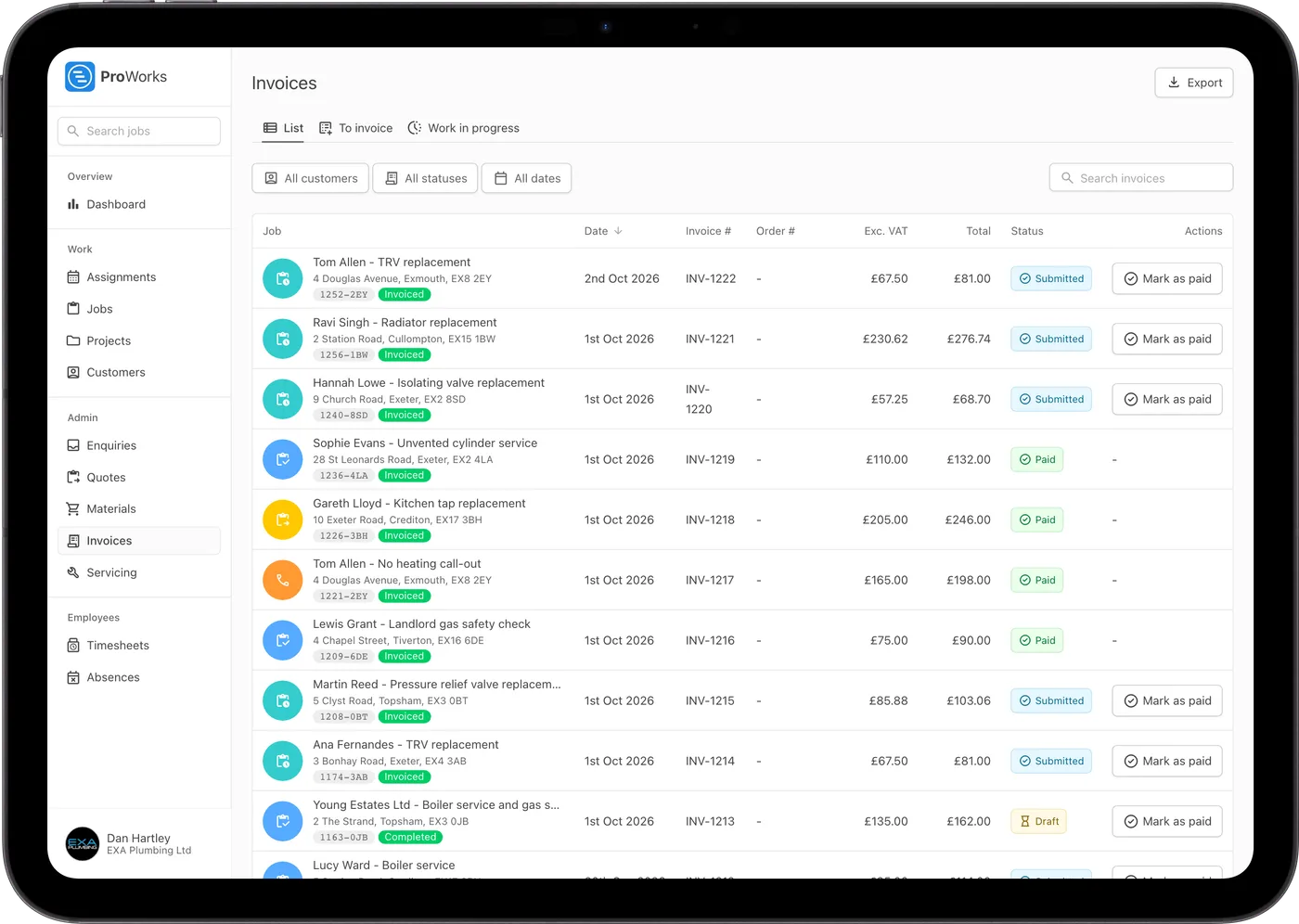
See at a glance which invoices are drafts, sent, overdue or paid. Export the list as a CSV for your accountant.
Quote from your saved rates, see when the customer's opened it, and invoice finished jobs with the hours and materials already filled in.
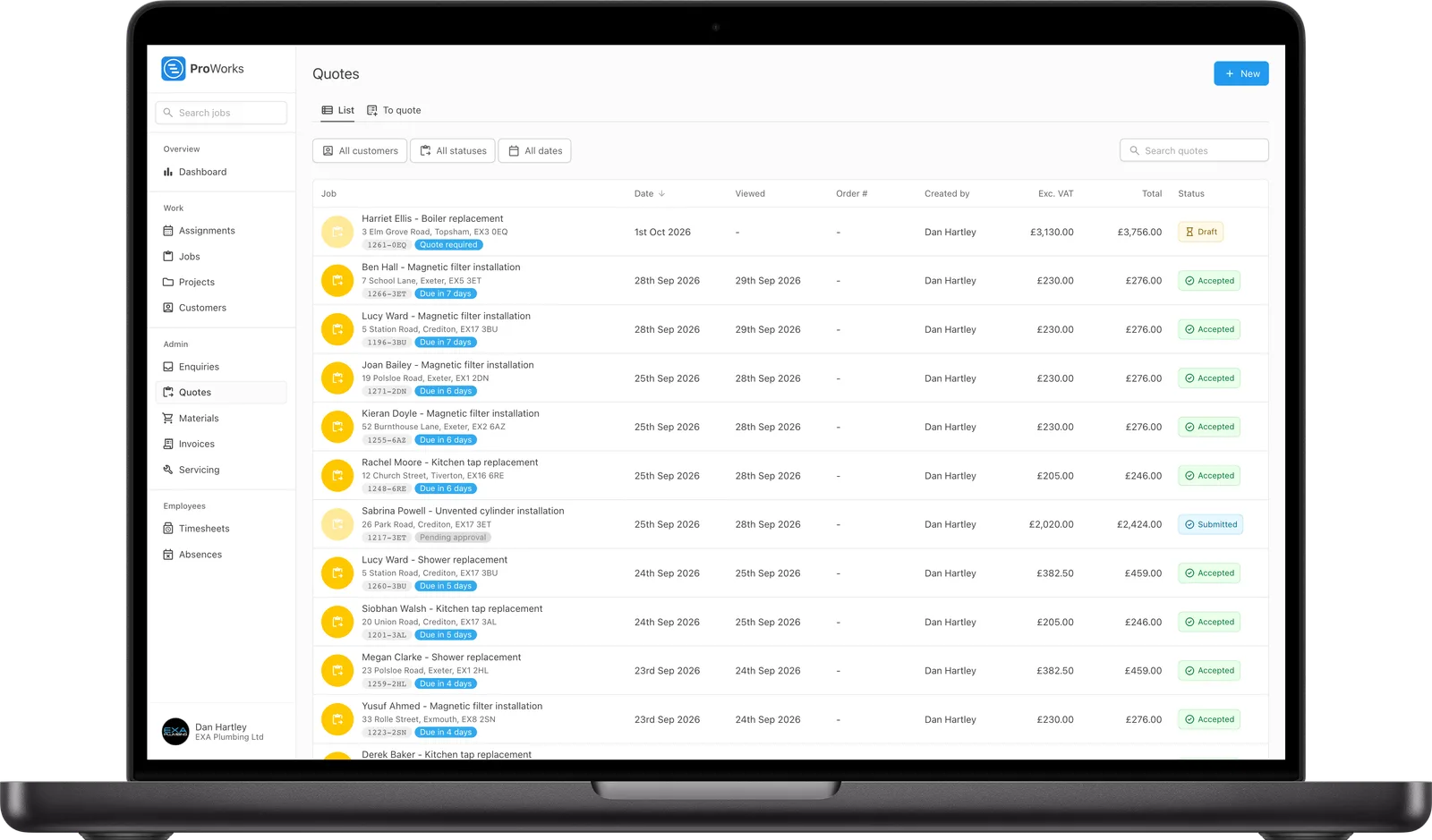
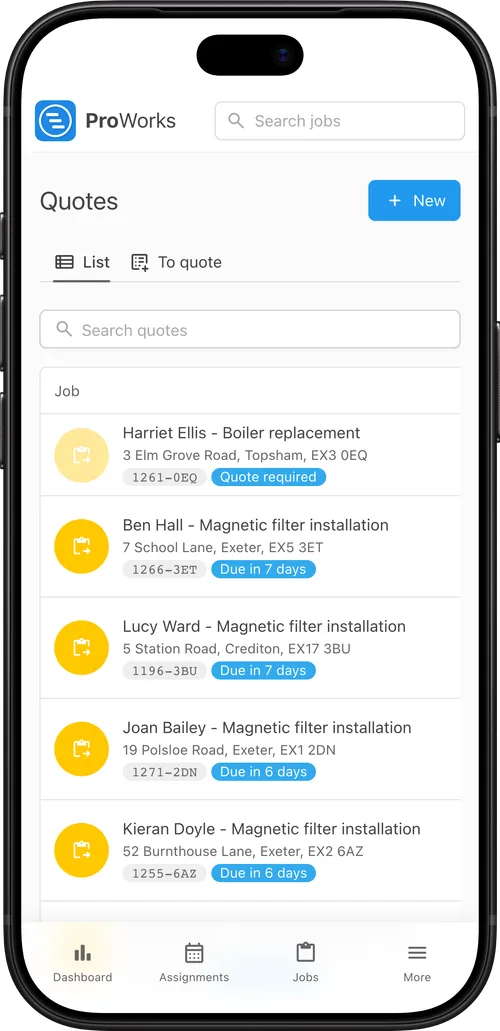
The quote, the work and the invoice all live on the same job.
Pick a time estimate and one of your rates for the labour, then add materials and other costs. Your markup and VAT are worked out for you.
It goes to the customer's portal as a PDF with your logo on. You'll see when they open it and get an email when they accept.
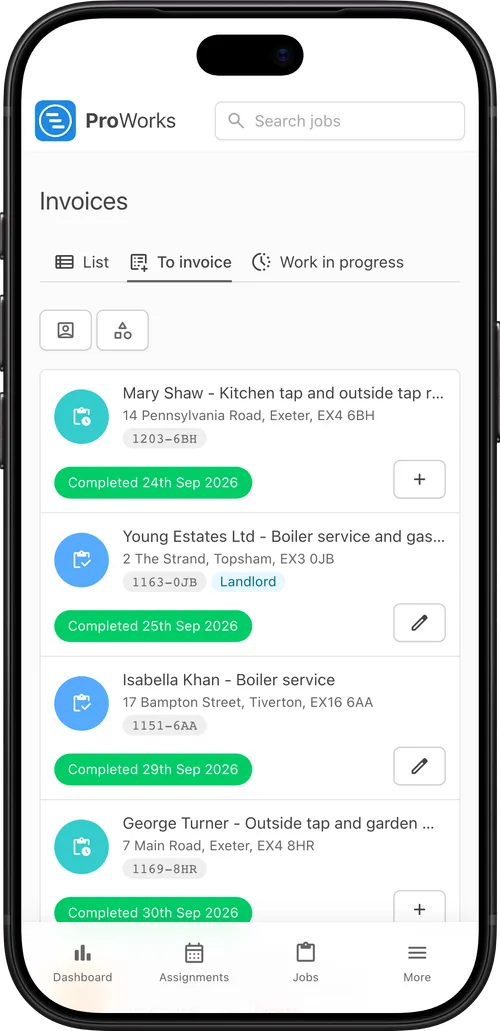
Finished jobs wait on the To invoice list. Click Invoice and the hours and materials are already there, with markup, VAT and any CIS deduction.
See when the customer opened the invoice. Each one shows as submitted, overdue or paid, so you know who still owes you.
For UK trades pricing work and getting paid for it.
See at a glance which invoices are drafts, sent, overdue or paid. Export the list as a CSV for your accountant.
Labour, materials and other costs are priced separately, with your markup and VAT added. Show the customer the breakdown or just the total.
See when the customer opened each quote and invoice.
Not sure of the final price? Send an estimate instead, with its own terms on the PDF.
Save the jobs you do all the time with a set price, and a new job's priced as soon as you pick one.
CIS deductions and the reverse charge are worked out on the invoice, with the right wording on the PDF. Your logo, details and terms go on every quote and invoice.

Definitely a programme we could not do without, covers all aspects of our day to day running of works for us and the team on the ground, exceptional support from the team at ProWorks too!
Andrew Payne
Operations Manager at UK Property Service SW LTD
Quotes and invoices come with every account. You pay per login, with no setup fee or contract.
Pick a time estimate and one of your saved rates for the labour, then add materials and other costs with your markup. ProWorks works out the price and the VAT, and you choose whether the customer sees the breakdown or a single total.
Yes. ProWorks records the date the customer opened each quote and invoice in their portal, and emails you as soon as they accept a quote.
Finished jobs wait on the To invoice list. Click Invoice and the hours logged on the job and the materials booked to it are already on it, with your markup and VAT applied. Check it and send it to the customer's portal as a branded PDF.
Yes. Switch a quote to Estimate only when the price is a guide. It is marked as an estimate and carries its own terms on the PDF.
Yes. ProWorks works out the CIS deduction and the amount due on the invoice, and applies the domestic reverse charge with the reverse-charge wording on the PDF. It does not submit returns to HMRC; your accountant or accounting software does that.
Yes. An accounting login costs £10 a month. It can see your invoices, material costs and timesheets, mark invoices as paid and export your invoices as a CSV.
Running engineers and subcontractors from enquiry to invoice.
Learn moreSupplier invoices on the job, ready to charge on the invoice.
Learn moreHours logged on each booking, ready for the invoice.
Learn moreEvery invoice you raise is a digital record of income. See how ProWorks helps you get ready for Making Tax Digital.
30 days free, with no card needed and no contract.