Service due dates
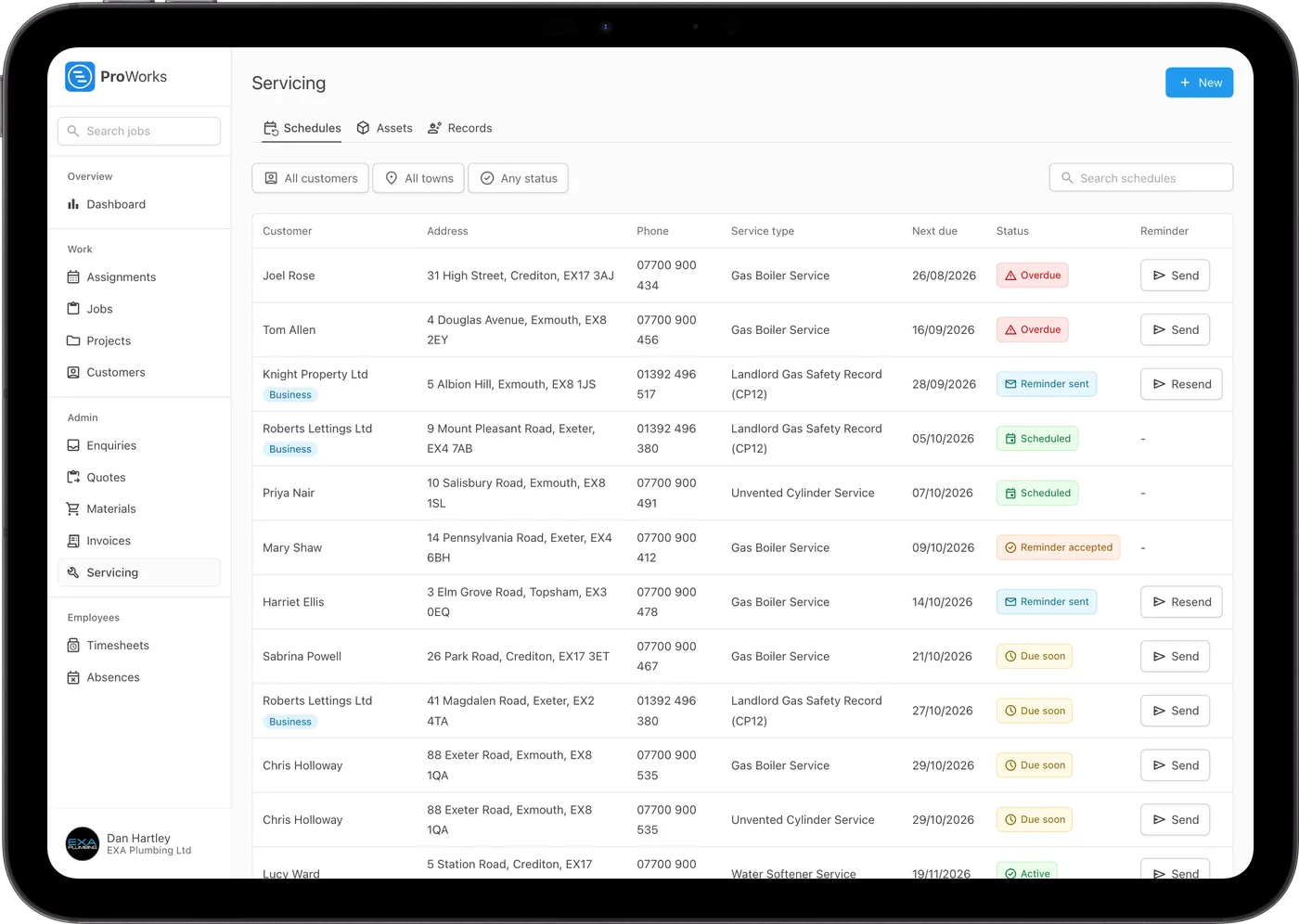
See what's coming up, what's overdue and where each reminder has got to, all in one list.
Keep a record of what's installed at each property, see when every service is due, and send reminders customers can accept online.
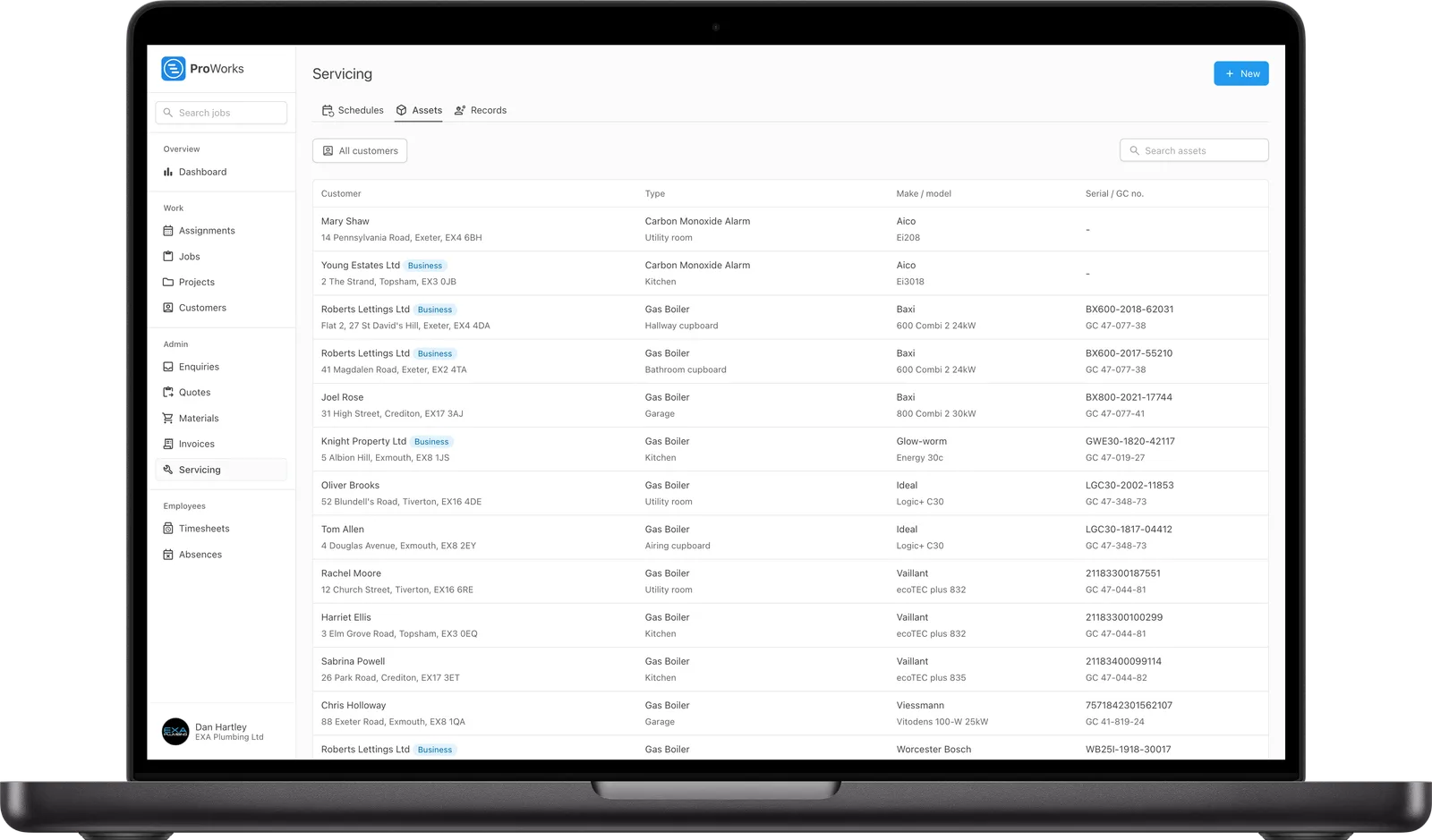
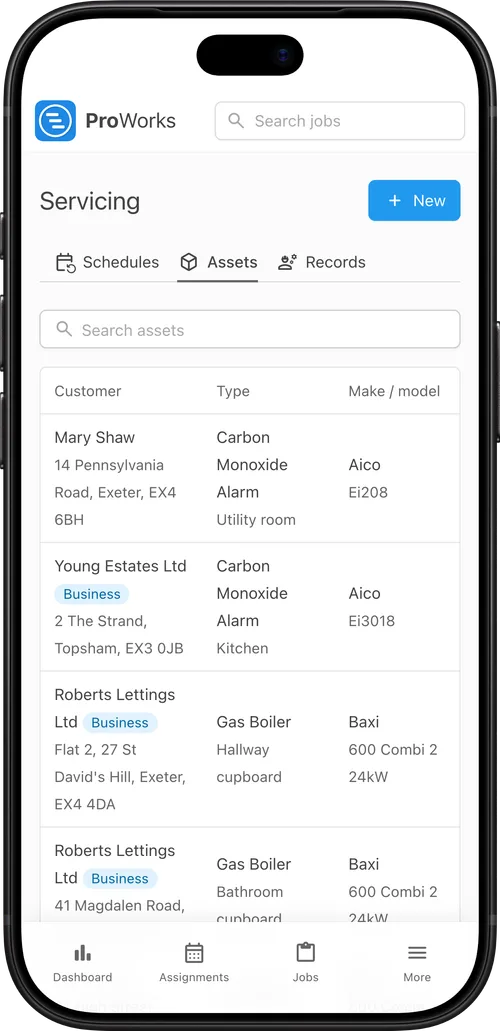
Service schedules sit on the property, with the boilers and other kit you look after linked to them.
Record the boilers, cylinders, consumer units and alarms at each property with their make, model, serial and GC number. Or scan the data plate and AI fills them in.
Add a service schedule to the property and link its assets. Most service types come with the usual interval, like 12 months for a CP12.
When a service is coming up, send the customer a reminder in one click. When they accept online, you get a link to book the job with the details already filled in.
Log a pass, fail or N/A for the visit and each asset. Once it's complete, the next due date moves on automatically.
For UK gas, heating, electrical and fire safety businesses.
See what's coming up, what's overdue and where each reminder has got to, all in one list.
Take a photo of the data plate and ProWorks fills in the make, model, serial and GC number. Anything it can't read clearly is left blank.
Customers can see their service schedules, their appliances, past results and their last service, and accept or decline your reminders.
Record a pass, fail or N/A for the visit and for each appliance, with notes.
Fit a new boiler and set up its service schedule there and then. Repairs can be logged without a schedule.
Engineers fill in the service record from the job while they're on site.
Keep install, commissioning and warranty dates for each asset, and archive it when it's replaced.
The usual UK service types are built in, most with a standard interval already set.
Yearly landlord gas safety checks. Link every gas appliance and record a pass or fail for each.
Yearly gas and oil boiler services, with LPG boilers recorded too. Keep each boiler's install and warranty dates with its service history.
Electrical installation condition reports every five years. Consumer units default to an EICR.
Air and ground source heat pumps, each with its own service schedule.
Fire alarm and dry riser checks every six months, monthly emergency lighting tests and yearly extinguisher services.
Yearly unvented cylinder services, with a pass or fail for each cylinder.

Definitely a programme we could not do without, covers all aspects of our day to day running of works for us and the team on the ground, exceptional support from the team at ProWorks too!
Andrew Payne
Operations Manager at UK Property Service SW LTD
Servicing comes with every account, with as many assets and schedules as you need. Just switch it on in your settings.
When a service is due, you send the customer a reminder email in one click. They accept or decline in their portal and you are emailed when they do. Accepting gives you a link to book the job, filled in from the schedule, and once the job is booked the reminder shows as Scheduled.
Landlord gas safety records (CP12), gas and oil boiler services, EICRs, heat pump and unvented cylinder services, and fire alarm, emergency lighting, extinguisher and dry riser checks are among those built in. Most come with a standard interval, and you can change the interval on any schedule.
Yes. Photograph the data plate and ProWorks fills in the type, make, model, serial number and GC number. Anything it cannot read clearly is left blank for you to fill in.
Log a Pass, Fail or N/A for the visit and for each asset, with notes. When the record is complete, the schedule's next due date moves on by the service interval.
In their portal, customers see their service schedules, the assets linked to them, past results and the last service, and they accept or decline your reminders there.
Yes. When you fit a new boiler or other appliance, record the installation and set up its service schedule there and then, with the first service due one interval after the install. Repairs can be recorded on their own, without a schedule.
Running engineers and subcontractors from enquiry to invoice.
Learn moreThe diary, assigning work and moving jobs around the week.
Learn morePricing a job, sending the quote and raising the invoice from it.
Learn more30 days free, with no card needed and no contract.