Job Scheduling Software for UK Trades

Drag jobs onto your team's and subbies' weeks, give customers a time slot, and move things around when plans change.

  • 30 days free
  • No card needed
  • No contract
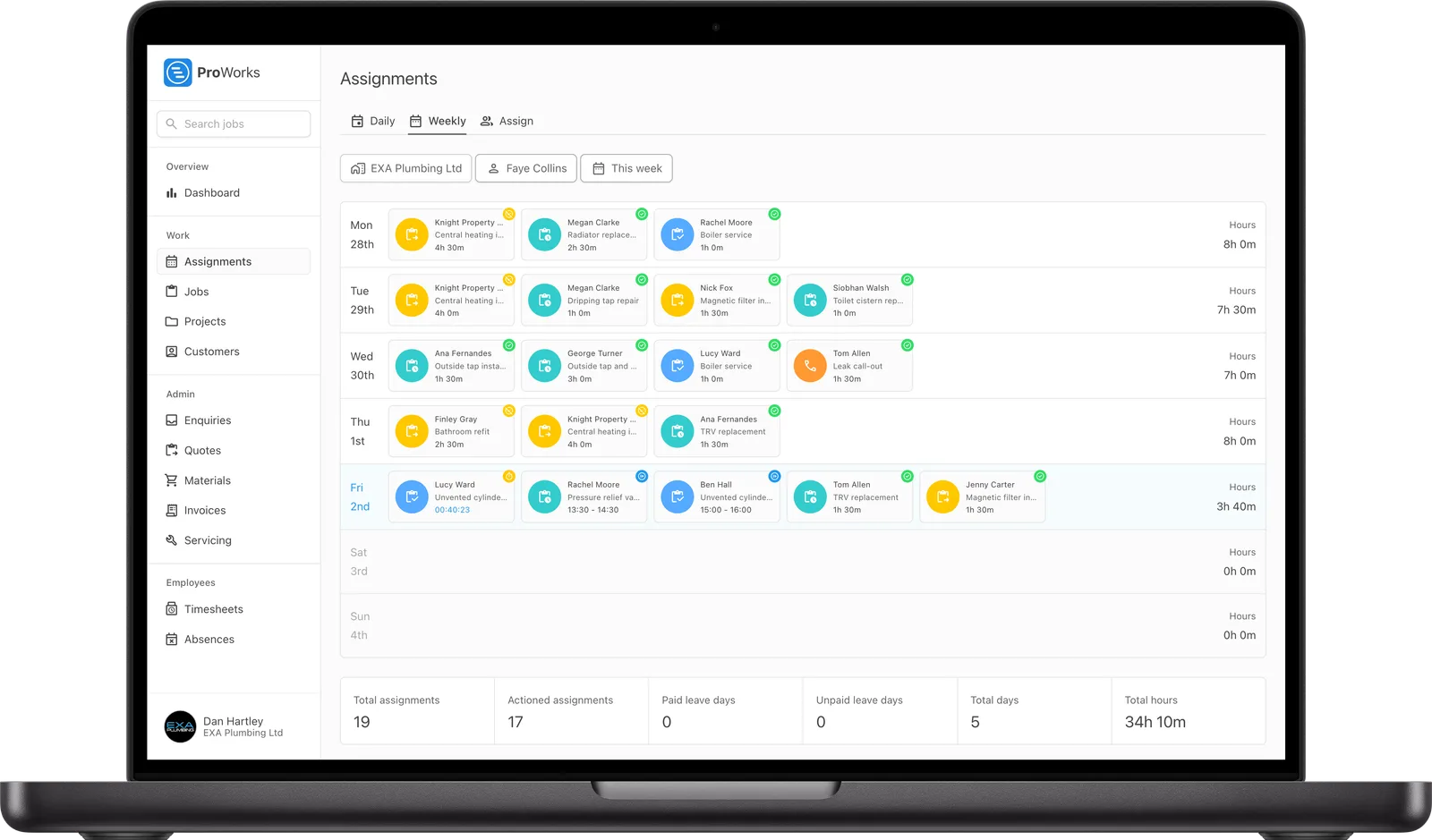
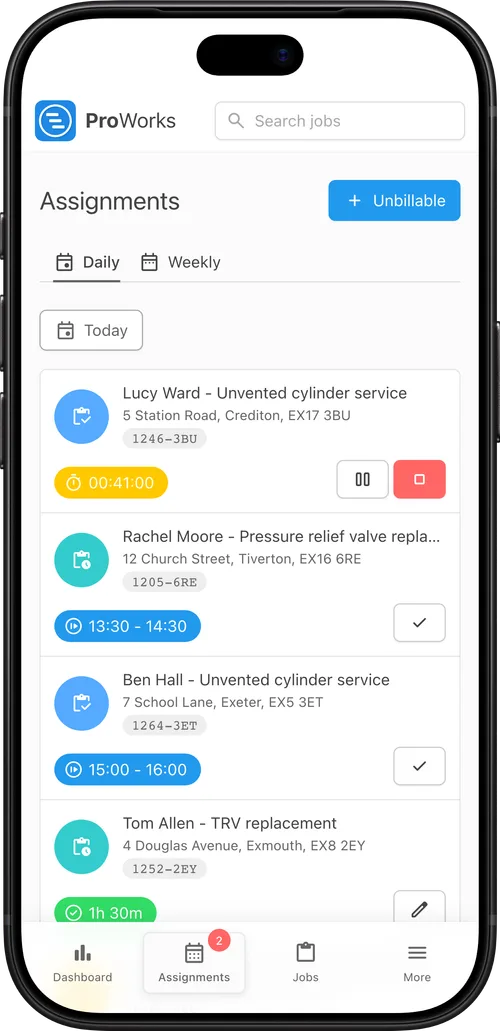
An engineer's week of bookings in ProWorks An engineer's day in ProWorks on a phone, with the job timer running

How ProWorks Job Scheduling Software Works

Book jobs from one screen and they show up in each person's week.

  1. Pick a job and a person

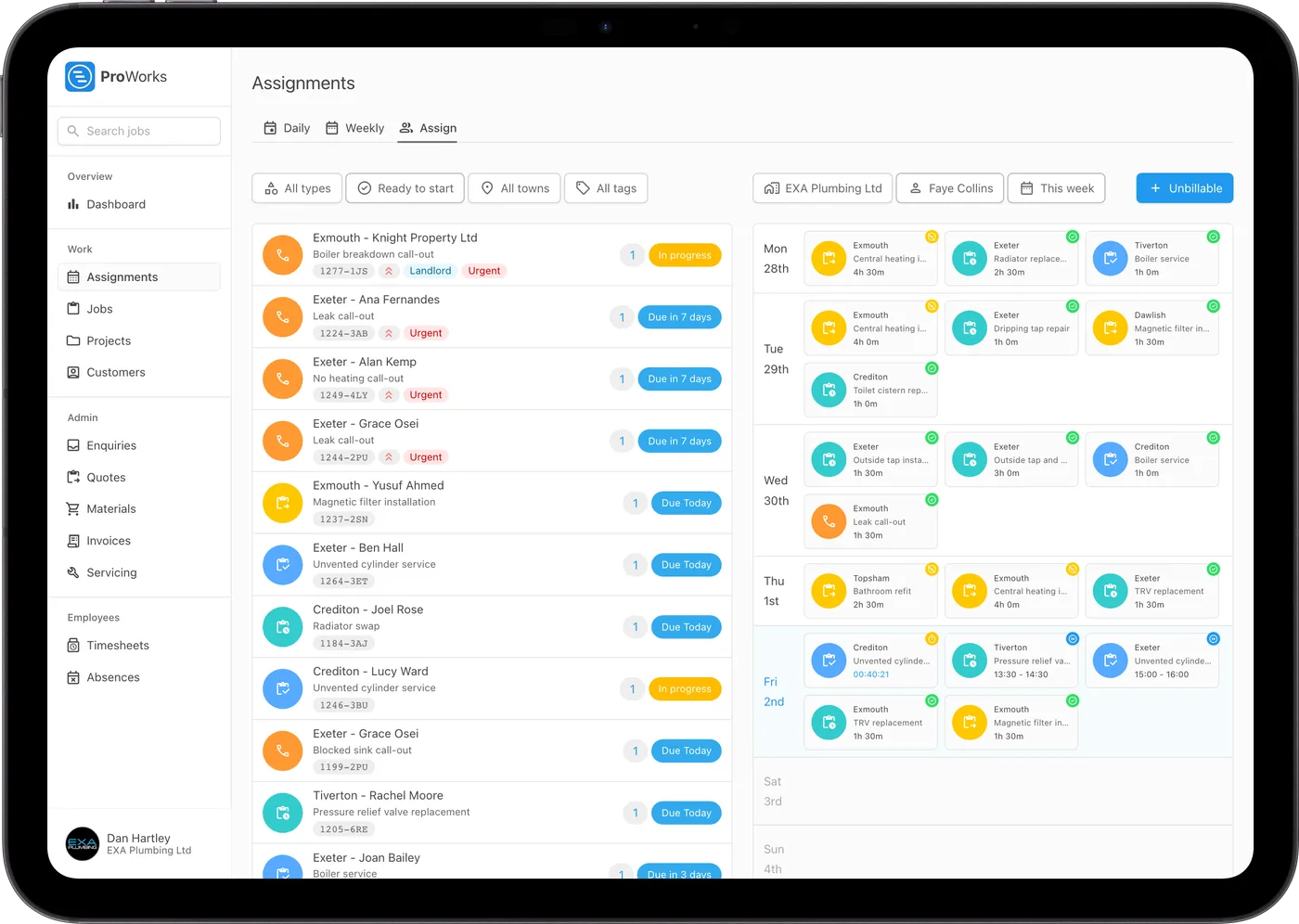
    The Assign screen lists every job that's ready to go, next to the week of whoever you pick. Holidays and days off are already marked.

  2. Drag it onto a day

    Drop the job on a day to book it, give the customer a time slot like 08:00 - 10:00, and leave your engineer any notes they need.

  3. Move it if plans change

    Rained off or running over? Drag the booking to another day, or back onto the list to take it off someone's week.

  4. Keep an eye on the day

    Engineers start a timer when they arrive, so you can see who's on site, who's finished and what needs a return visit.

Scheduling Features

For UK firms booking their own team and their subbies.

Drag-and-drop booking

Pick a person and drag jobs onto their week. Your team and your subbies are booked the same way.

Subcontractors

Book a subbie's engineers onto your jobs. If you move the booking, theirs moves too, and they only see the jobs you've given them.

Time slots

Give each booking an arrival window. Your engineer sees it on their week and on the day.

Jobs by town

Filter jobs by town and see the town on every booking, so you can keep each day in one area.

Holidays

Holidays and time off show on each person's week, so you won't book someone who's off.

On the day

Engineers get a list of the day's jobs with addresses, a Map button for directions, and start, pause and finish buttons.

Unbillable time

Book travel, training and admin too, so the week shows everything your team's doing.

Spencer Lane from SL Electricals
I switched to ProWorks after trying Tradify and immediately found it far more user-friendly for me and my growing team. Scheduling work for employees and subcontractors is now much simpler, and the ability to sync with subbies without sharing sensitive information works brilliantly.

Spencer Lane

Director at SL Electricals

Job Scheduling Software Pricing

Scheduling comes with every account. You pay per login, with no setup fee or contract.

  • Every feature in every account
  • No setup fee, no contract
  • Free for 30 days, no card needed
See full pricing
Administrator
£25/month
Supervisor
£20/month
Standard
£15/month
Accounting
£10/month
Subcontractor plus 50p per day assigned
£5/month

Job Scheduling Software FAQs

How does job scheduling work in ProWorks?

Open the Assign screen, pick a person and their week appears next to the jobs that are ready to start. Drag a job onto a day to book it. Holidays, absences and the days they do not work are already marked.

Can I schedule subcontractors alongside my own team?

Yes. Subcontractors you invite are booked from the same screen as your employees. When you move a booking their copy moves too, and they only see the jobs you give them.

Can I give customers an arrival time?

Yes. Each booking can have an arrival window such as 08:00 - 10:00. It shows on the engineer's week and on their list for the day, alongside any instructions you leave for them.

How do I move a job to another day?

Drag the booking to another day on the person's week. Drag it back onto the job list to take it off their week, or hold Shift while dragging to copy it to another day when the work runs over several days.

Can engineers see their jobs on their phone?

Yes. ProWorks runs in the phone's web browser. Each engineer sees their bookings for the day with the job address, a Map button for directions and buttons to start, pause and finish the work.

Can I book a job that runs over several days?

Yes. Book the first day, then hold Shift and drag the booking to copy it onto the next day. Each day is its own booking, so the engineer logs their time against the right day and you can move one day without moving the rest.

Related Features

Start Your Free Trial

30 days free, with no card needed and no contract.