Timesheet & Labour Tracking Software for UK Trades

Your team logs their hours against each job, so you know what the labour really cost and can charge for every hour on day rate and call-out work.

  • 30 days free
  • No card needed
  • No contract
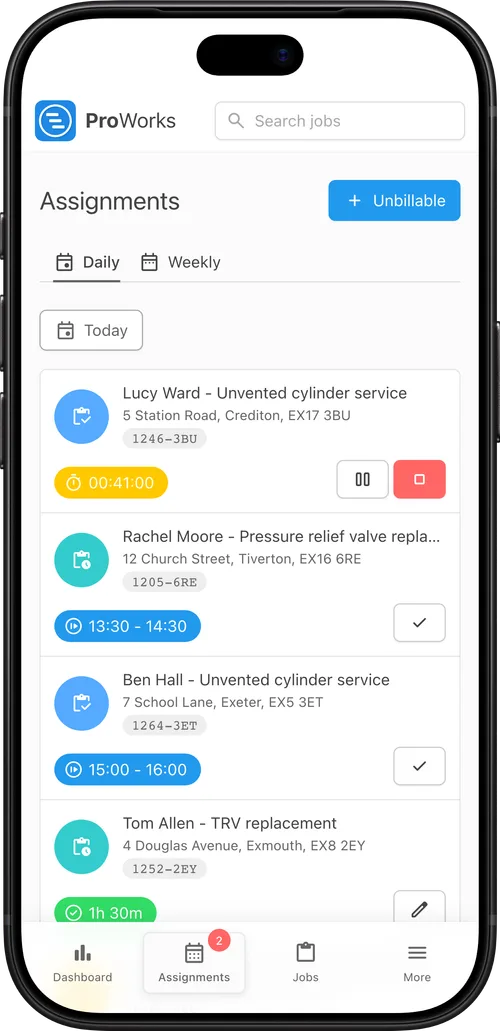
An engineer's timesheet in ProWorks An engineer's day in ProWorks on a phone, with the job timer running

How ProWorks Timesheet Software Works

Time's logged on each booking, so every hour belongs to a job.

  1. Book the work

    Each booking is one person, one day, one job. Your team and your subbies are booked the same way.

  2. Start the timer

    Tap Start on arrival and Pause for a break, from a phone. Forgot to start it? Add the time afterwards.

  3. See the labour cost

    Each job shows its labour cost, worked out from each person's hourly rate, next to the quoted price.

  4. Invoice the hours

    On day rate and call-out jobs the hours go on the invoice at your rate, with any minimum charge. Time logged after you've invoiced is marked Not invoiced.

Timesheet Features

For UK trades paying and billing for their team's time.

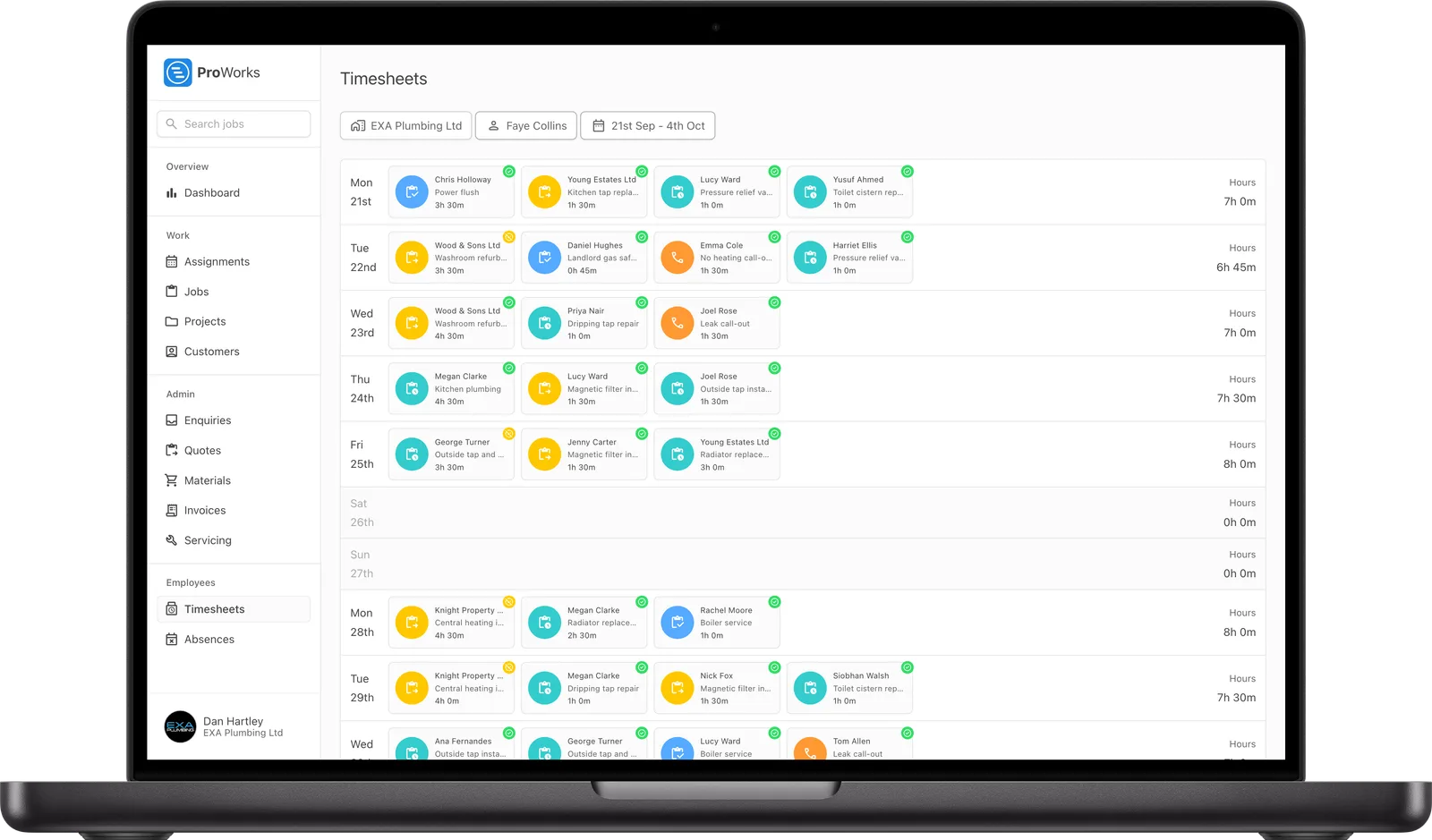
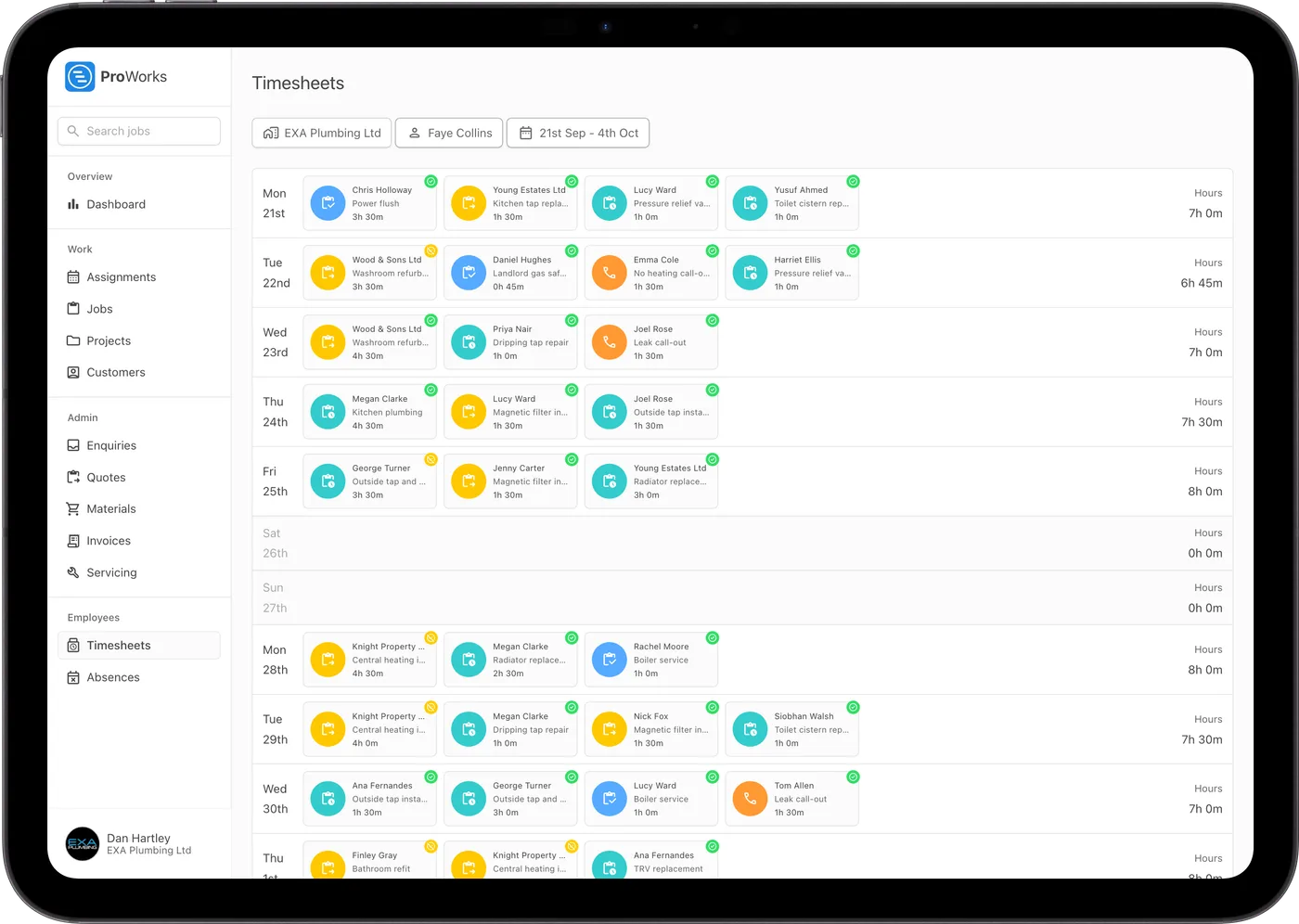
Weekly timesheets

Each person's week of jobs and hours, with their holidays on the same page and totals for the period.

Profit per hour

Once a job's invoiced you'll see the profit and what it made per hour, from the hours your team logged.

Pay periods

Weekly, fortnightly or monthly timesheets, starting on whatever date matches your payroll.

Holidays

Holiday and time-off requests with approval and half days. Paid leave counts towards the day's hours.

Subcontractor hours

Subbies log their own hours on the jobs you give them, and their time comes through to your invoice.

Accountant access

Supervisors and your accountant's login can see everyone's timesheets. Travel, training and admin can be logged too, so the week adds up.

Luke Mingo at an IMBC construction site
ProWorks keeps us fully up to date with costs against budget as projects progress. With labour and materials automated, it tracks our margins on both quoted and day rate jobs - ongoing and completed - without any extra admin. I’d thoroughly recommend this software to any contractor.

Luke Mingo

Director at IMBC

Timesheet Software Pricing

Timesheets come with every account. You pay per login, with no setup fee or contract.

  • Every feature in every account
  • No setup fee, no contract
  • Free for 30 days, no card needed
See full pricing
Administrator
£25/month
Supervisor
£20/month
Standard
£15/month
Accounting
£10/month
Subcontractor plus 50p per day assigned
£5/month

Timesheet Software FAQs

How do engineers log their hours?

Each booking has a Start and Pause timer. Engineers tap Start when they arrive and Pause for a break, from their phone's browser, and the time is saved against the job. Time they forgot to record can be added to the booking afterwards.

Can subcontractors log their own hours?

Yes. Subcontractors you invite log their own hours on the jobs you give them, and their time comes through to the job and your invoice.

How is the labour cost on a job worked out?

Each person's hours are multiplied by their hourly rate, or the subcontractor's rate, and the total shows on the job next to the quoted price. Once the job is invoiced you also see the profit and what it made per hour.

Does it track holidays and sickness?

Yes. Paid and unpaid leave requests go through approval and can be half days. They appear on the person's timesheet, and paid leave counts towards the day's hours.

Can timesheets match my pay period?

Yes. Set timesheets to weekly, fortnightly or monthly from a start date that matches your payroll. Each period shows the total hours and the paid and unpaid leave days.

What if someone forgets to start the timer?

They can add the time to the booking afterwards, so the hours still land on the job and their timesheet. You can see on each day which bookings have time logged against them.

Related Features

Start Your Free Trial

30 days free, with no card needed and no contract.