Project Management
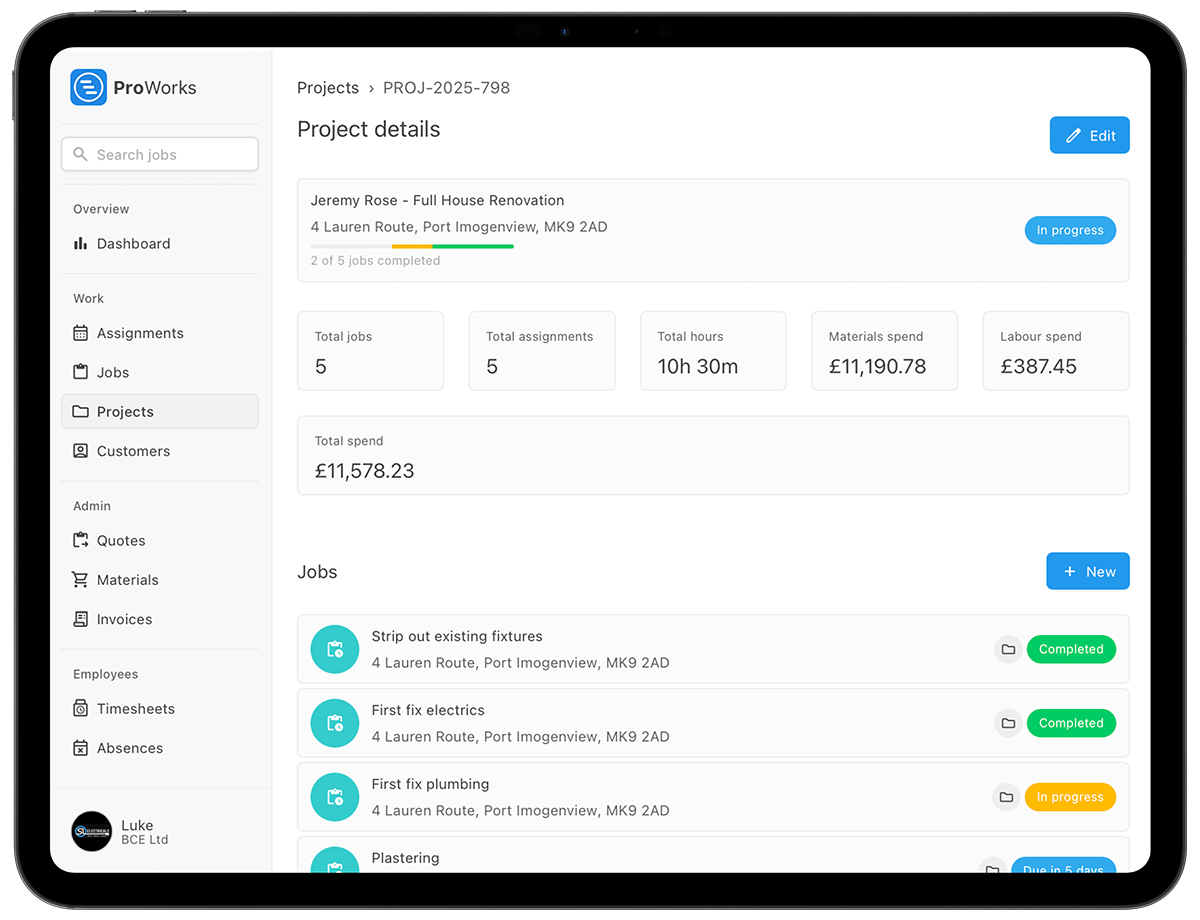
Group the strip-out, groundwork, shell and fit-out under one project. It totals the hours, the labour spend and the materials spend across every job on it, and shows how many stages are finished.
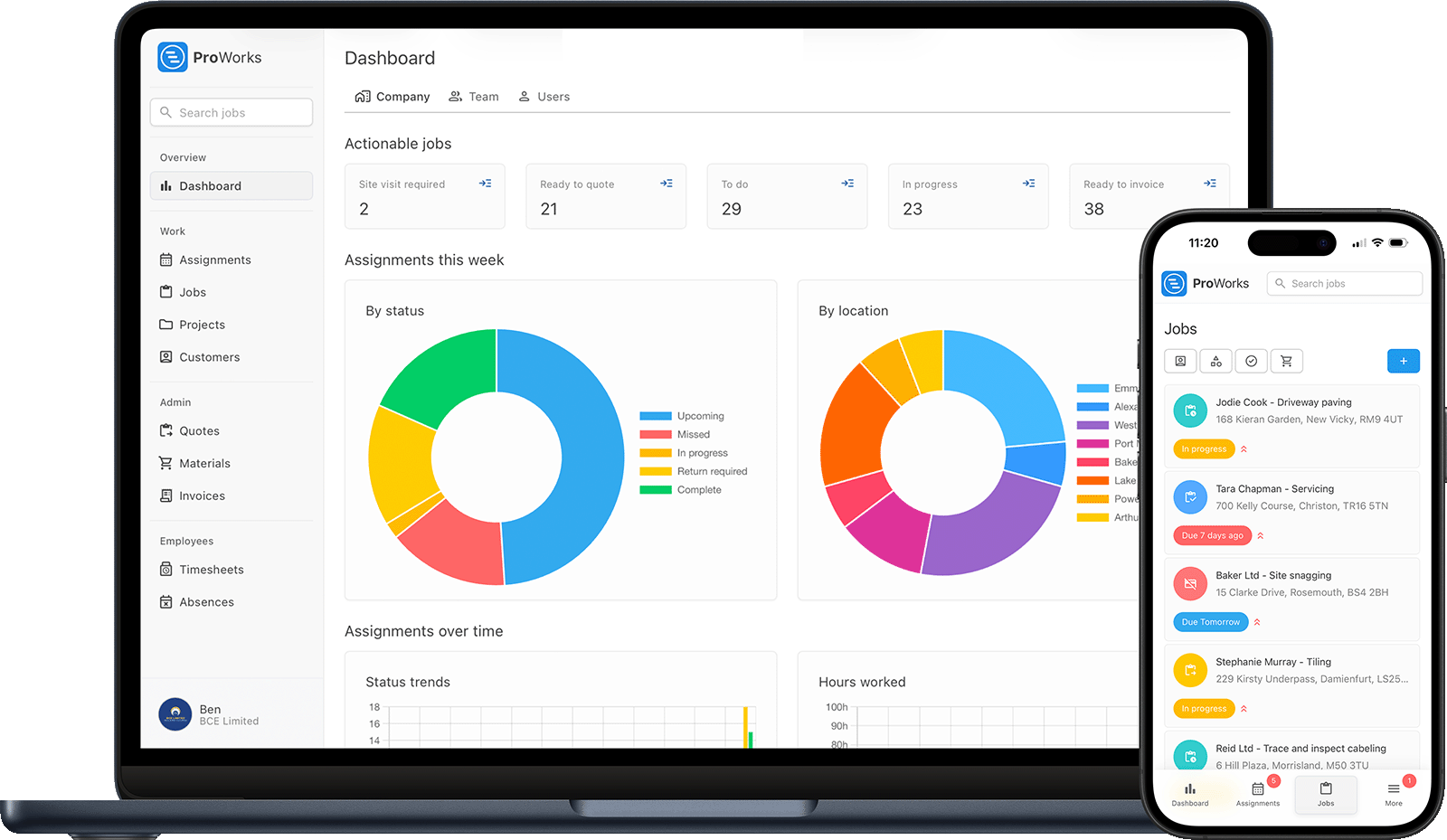
Running a building company means juggling multiple tasks. ProWorks gives you control.
Who is on site tomorrow, and what did the sparky actually do on Tuesday? Assign subcontractors work in the same diary as your own team. They log their hours against the job, and the cost lands on it without a phone call or a scribbled day sheet.
You quoted £20k, you have spent £18k, and you are halfway through. Every job shows its labour cost, its materials cost and the price you quoted, so an overspend turns up in week two rather than at the final account.
The customer keeps adding extras and you invoice half of them. Raise each one as its own quoted job so it has a price the customer has agreed to, and invoice it when it is done rather than absorbing it.
You finished in March and the invoice is still on the desk. Raise it off the completed job, send the branded PDF, and see which invoices have gone overdue and whether the customer has even opened the one you sent.
For a loft conversion, a two-storey extension or a full new build
Group the strip-out, groundwork, shell and fit-out under one project. It totals the hours, the labour spend and the materials spend across every job on it, and shows how many stages are finished.
Give the quote a time estimate and your rate, and the labour works itself out. Materials and plant go on at your markup, VAT on top, and the customer sees the breakdown or a single figure, your choice.
Invite a subcontractor's company and assign them work. They log their hours against the job and the cost lands on your invoice. They never see your customer list, your quotes or your profit.
Hours from your team and your subbies, plus every supplier invoice logged against the job, add up to what it has cost you so far. Set against the price you quoted, that tells you where the profit sits - and once the job is invoiced, what it made per hour.
Your team and your subbies on one diary. Drag a day onto another date when the plasterer slips, see who is on which site, and the person it is assigned to picks the change up with the address already on the job.
Raise the invoice off the finished job with the labour and materials already totalled, and send it as a branded PDF carrying the customer's order number. Every job gets invoiced, so the extras you raised along the way are billed rather than forgotten.
What a building firm running its own team and half a dozen subbies gets out of it
Your own bricklayers and the plumber, sparky and plasterer you bring in all work off the same diary. Everyone logs their time against the job they were on, so when you price the next first fix you are working from what the last one took, not a guess.
Log each supplier invoice against the job it went to, with the supplier and invoice number on it. Upload the invoice and, with AI enabled, ProWorks reads the materials off it and applies your markup, so a delivery in week one still reaches the bill in week six.
Each job carries its labour cost, its materials cost and the price you quoted, and once it is invoiced, what it made and what it made per hour. The project totals the spend across all of its stages. Price the next extension off what the last one did, not what you hoped it would do.
See how ProWorks helps you manage construction projects, control costs and coordinate trades
Quote each stage of an extension off a time estimate and your rates, then invoice it as it completes.
Learn more →See who is on which site, and move a day when a trade slips without ringing round the rest.
Learn more →Your team and your subbies log hours against the job, so you know the labour cost while you can still act on it.
Learn more →
"ProWorks keeps us fully up to date with costs against budget as projects progress. With labour and materials automated, it tracks our margins on both quoted and day rate jobs - ongoing and completed - without any extra admin. I'd thoroughly recommend this software to any contractor."Luke Mingo

"Definitely a programme we could not do without, covers all aspects of our day to day running of works for us and the team on the ground, exceptional support from the team at ProWorks too!"Andrew Payne
One admin account, then add team members and subcontractors as needed
£15-£25/month for employees, depending on what they need to see • £5/month + 50p for each day you assign a subcontractor work
Straight answers for UK building firms weighing up construction job management software.
Send an estimate. Tick "Estimate only" on the quote and it goes out marked as an estimate, with its own terms saying the firm price follows the drawings. When the spec is settled, the quote proper follows, and the client accepts it in the portal.
One job per stage. Set each stage up as its own priced job, group them under a project, and invoice each stage as it completes, so money comes in as the build goes up. The project totals the hours and the spend across every stage, and the profit sits on each one.
Open the project and the whole extension is in one place: the hours, the materials, the labour and what the build has cost you. The profit sits on each job, in its invoice details, so you can see which part of the build paid and which part did not. What you charged is fixed there, what it cost you is not, so when the merchant's invoice turns up a fortnight later the profit drops to what it really was.
Yes. A Supervisor at £20 a month can edit jobs, customers and addresses, assign the team and move work around the diary, while prices, quotes and profit stay hidden. Your subcontractors join as their own companies at £5 a month plus 50p per assigned day and see only the jobs you give them.
Yes. Mark the invoice as reverse charge and ProWorks shows the VAT for the contractor to account for, with the correct s.55A wording. Your UTR sits in your company settings, and the invoices CSV hands your accountant the income records in one file.
A two-storey extension is a dozen jobs, four trades and six months of supplier invoices. ProWorks keeps the hours, the materials and the price you agreed against each of them, so you know where the profit went. Start your 30-day free trial - no credit card needed.