Supplier invoices
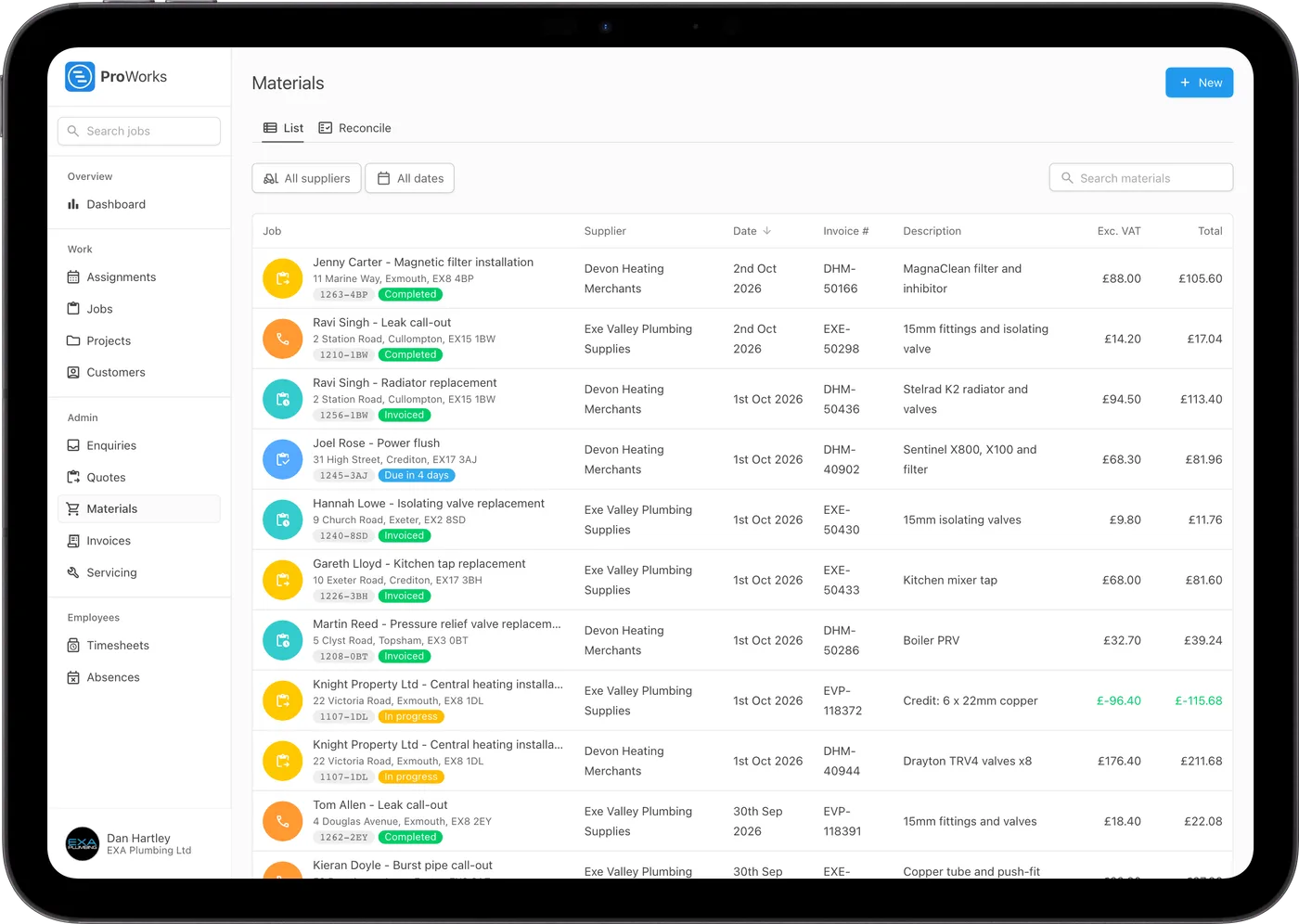
See the job, supplier, invoice number and total for everything you've bought. Credit notes come off, and anything without a job is flagged.
Log every merchant invoice and receipt against the job it was for, see what each job has cost so far, and charge for it all with your markup.
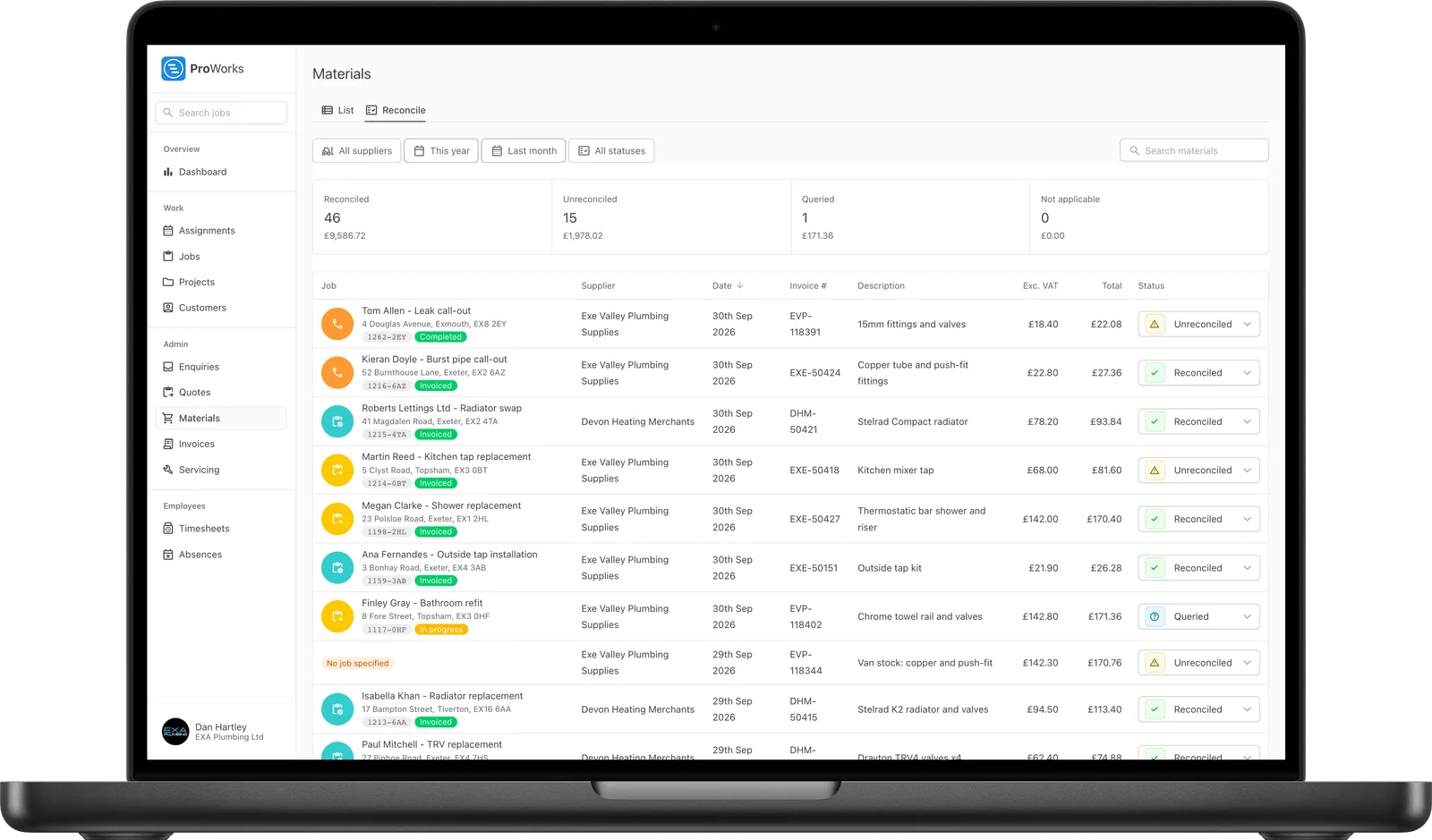
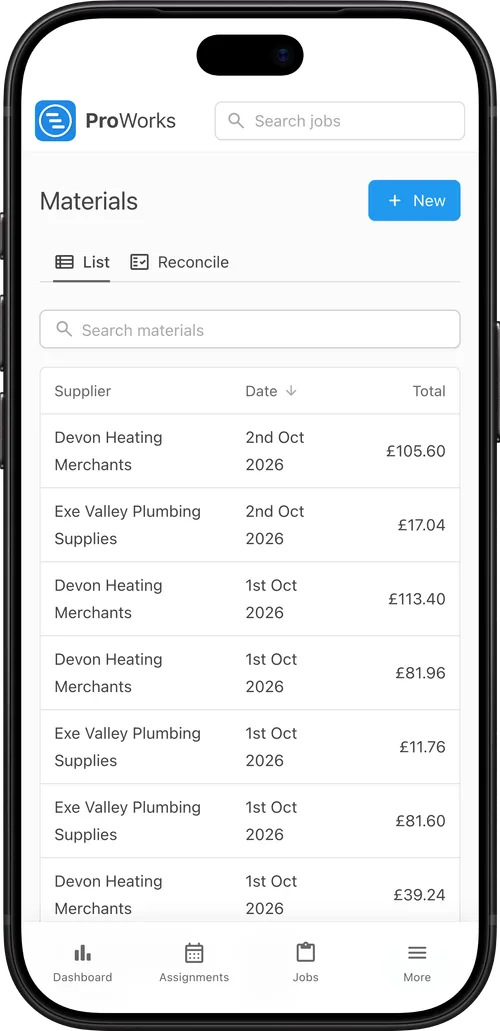
Every supplier invoice is saved against the job it was bought for.
Drop in up to 10 supplier invoices, credit notes or photos of receipts at once. AI reads the supplier, date, invoice number, items and totals.
ProWorks matches each one to a job from the reference on it, and flags any it couldn't match.
Each job shows what you've spent on materials and labour next to what you quoted, so you'll spot it going over before you invoice.
When you raise the invoice, the job's materials are on it with your usual markup, so nothing gets missed.
For UK trades buying materials for every job.
See the job, supplier, invoice number and total for everything you've bought. Credit notes come off, and anything without a job is flagged.
Once a job's invoiced, you'll see what it cost, what you charged, the profit and what it made per hour.
Upload the PDF or a photo and AI fills it in. Check it over and change anything it got wrong.
Mark each invoice reconciled, queried or not applicable, with a count and total for each, so your accountant can work through the month.
Flag jobs that need materials ordering, are waiting on an order or have something to collect. The flag shows in the diary.
Keep your suppliers' company and account numbers in one place, and filter by supplier and month to see what you've spent.

ProWorks keeps us fully up to date with costs against budget as projects progress. With labour and materials automated, it tracks our margins on both quoted and day rate jobs - ongoing and completed - without any extra admin. I’d thoroughly recommend this software to any contractor.
Luke Mingo
Director at IMBC
Materials tracking comes with every account. You pay per login, with no setup fee or contract.
Upload up to 10 supplier invoices, credit notes or photos of receipts at once. AI reads the supplier, date, invoice number, items and totals, and matches each one to a job from the reference on it. Check the result and edit it if anything is wrong.
Your default markup is filled in for materials on day rate and call-out jobs, and you can change the markup or the charge on any material. On quoted and fixed price jobs the materials are usually in the price already, so no charge is added.
Each job shows its materials and labour cost to date next to what you quoted. Once the job is invoiced it shows the profit and what it made per hour.
Credit notes are recorded as negative amounts on the date of the credit, so they come off the job's materials cost.
Yes. Turn on reconciliation and mark each material Reconciled, Unreconciled, Queried or Not applicable. The Reconcile tab shows a count and total for each, and the £10 accounting login can see your material costs.
Yes. Take a photo of the receipt or supplier invoice on your phone and upload it. ProWorks reads the supplier, date, invoice number and totals from the photo the same way it does from a PDF, and keeps the image with the material so you can look at it later.
Pricing a job, sending the quote and raising the invoice from it.
Learn moreHours logged on each booking, labour cost and leave.
Learn moreRunning engineers and subcontractors from enquiry to invoice.
Learn moreLogging supplier invoices as you go keeps your costs on record too. See how ProWorks helps you get ready for Making Tax Digital.
30 days free, with no card needed and no contract.