Enquiries inbox
Enquiries from your website, your customer portal and the phone sit in one inbox. Mark each one Pending, Declined or Spam, or create a job from it.
Put your services, accreditations and contact details online, built from your ProWorks account. Enquiries from the site land in your inbox, ready to become jobs.
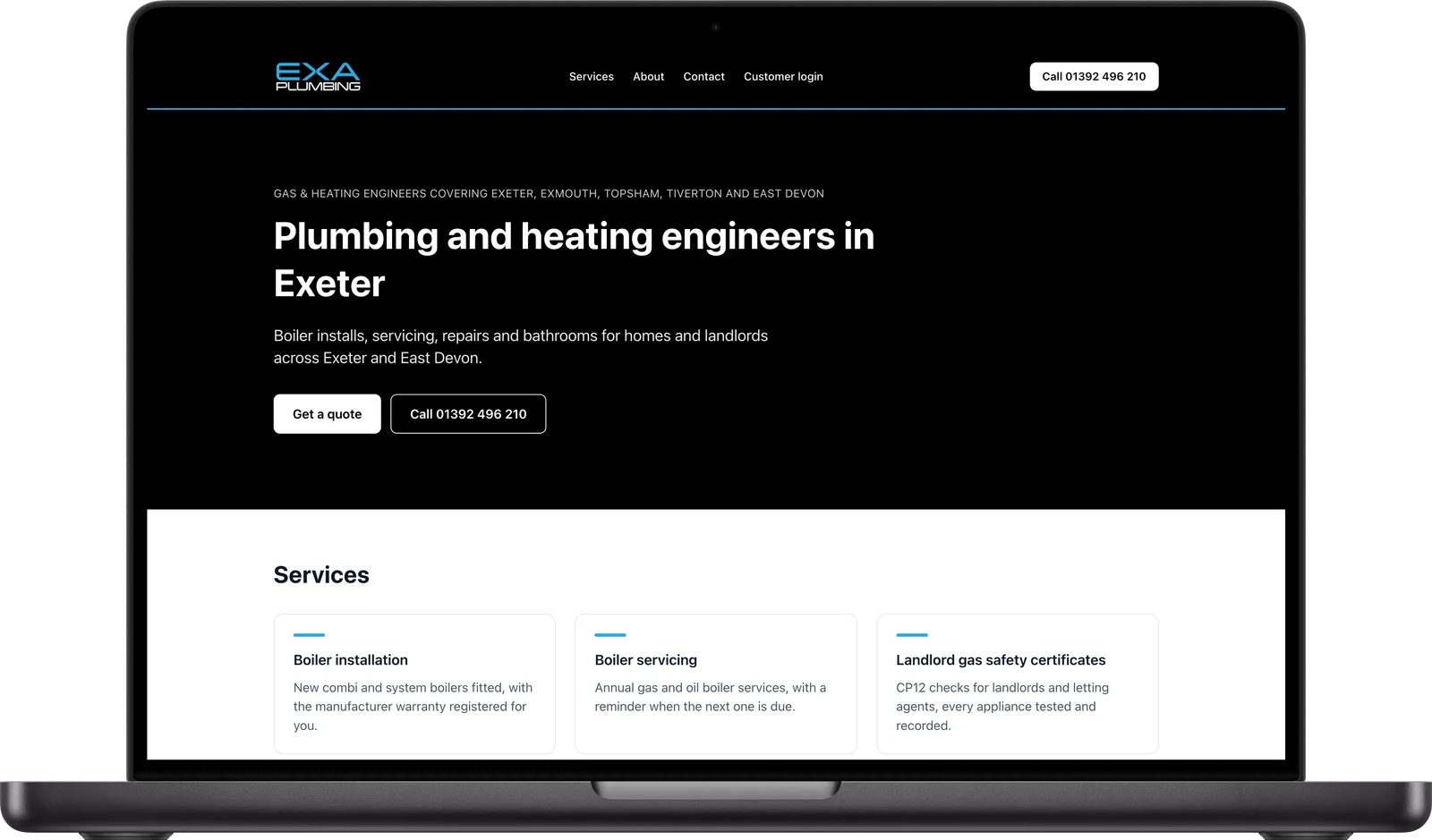
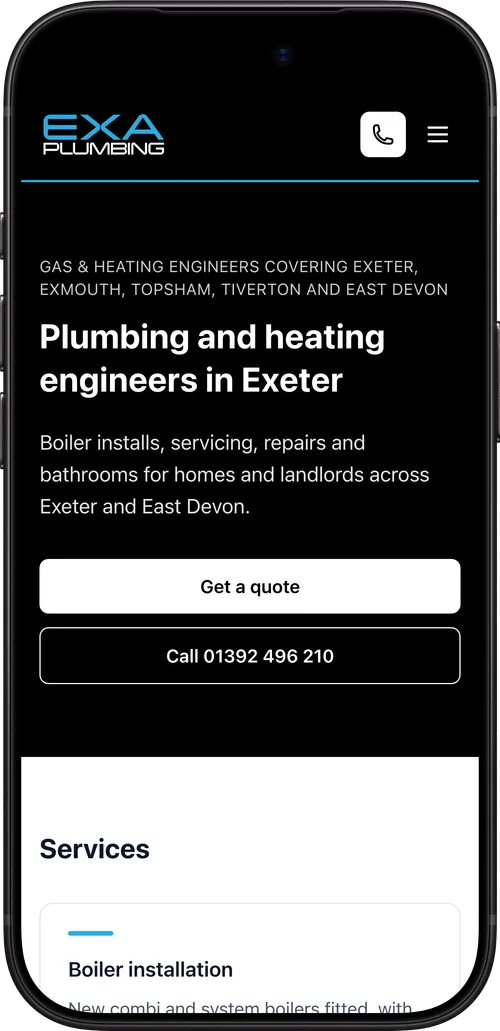
One page about your business, filled in from a form in Setup.
Choose your trade and add a headline, the areas you cover and your opening hours. Your logo and colours are already in ProWorks.
Write a line about your business and AI drafts the introduction, about section and services, and finds your social media pages. Edit anything you want to change.
List your services and schemes such as Gas Safe, NICEIC, NAPIT or TrustMark, with your registration numbers.
See the site as visitors will, then publish it. Unpublish it whenever you like.
Visitors send an enquiry from the site. It lands in your Enquiries inbox and you are emailed, and Create job turns it into a job with the customer filled in.
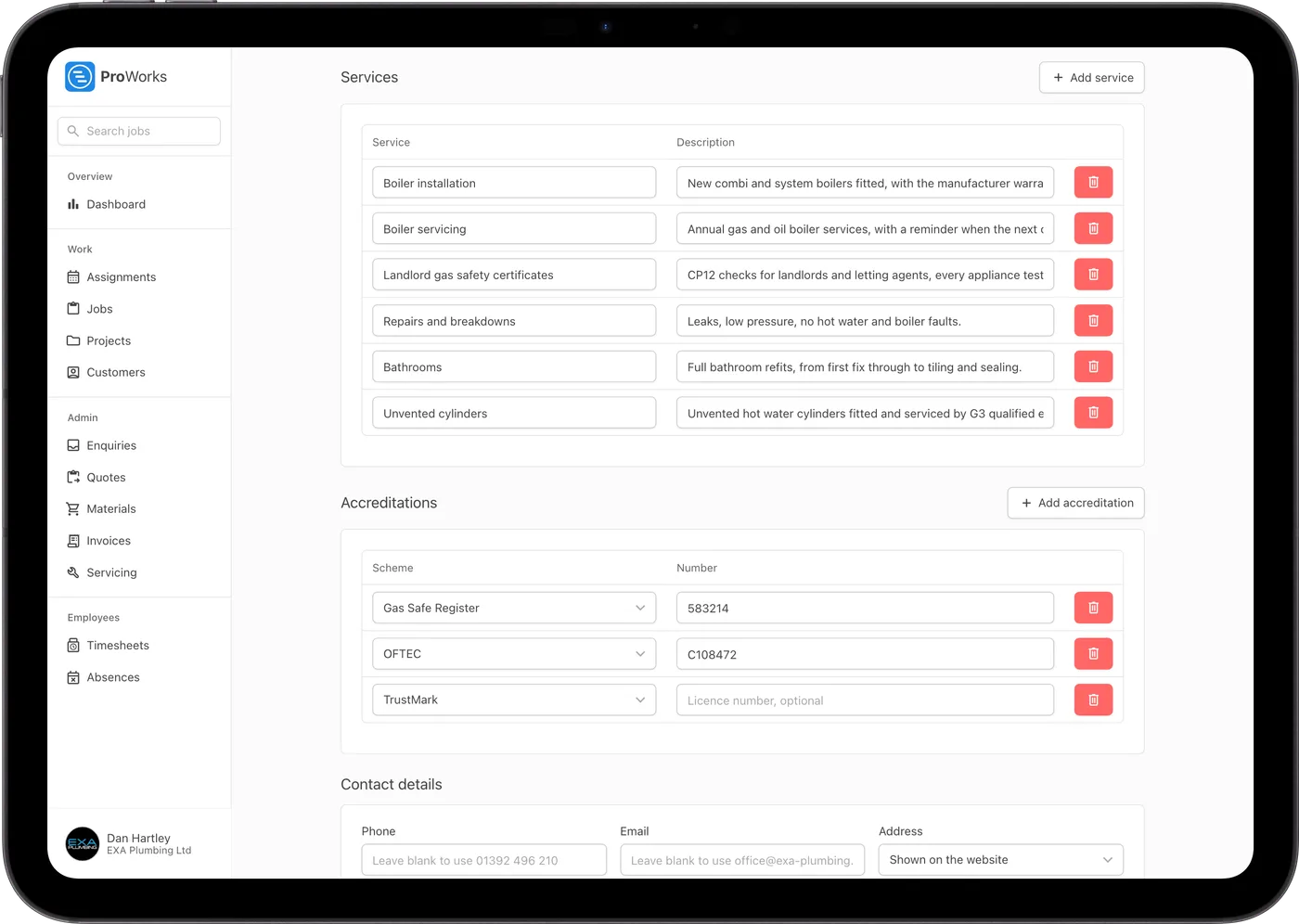
Everything a customer looks for before they pick up the phone.
Enquiries from your website, your customer portal and the phone sit in one inbox. Mark each one Pending, Declined or Spam, or create a job from it.
On a phone the call button sits at the top of the page, so customers ring you in one tap.
Towns from your completed jobs are listed on the site, so customers see you already work near them.
Existing customers log in to your portal from the site to accept quotes, download invoices and request a job.
Your trade and town go in the page title, with business details search engines read and a preview card when the link is shared.
Your company number, registered office and VAT number go at the bottom of the site, taken from your company settings.
Keep it, and send its enquiries to ProWorks.
Pick your website builder, such as WordPress, Wix, Squarespace or GoDaddy, follow the three steps and paste the code onto your site.
No website at all? Copy a link to your enquiry form for your Facebook page, Google listing or email signature.
Enquiries from the form on your own site land in the same inbox as everything else.

I switched to ProWorks after trying Tradify and immediately found it far more user-friendly for me and my growing team. Scheduling work for employees and subcontractors is now much simpler, and the ability to sync with subbies without sharing sensitive information works brilliantly.
Spencer Lane
Director at SL Electricals
The website and the enquiry form are in every account, at no extra cost.
Go to Setup, then Website. Pick your trade, write a headline and list your services, or let Fill in with AI draft the words for you. Preview the site, then publish it when you are happy with it.
It lands in the Enquiries inbox in ProWorks and you are emailed a link to it. Click Create job and ProWorks suggests a matching customer, or creates a new one, and fills in the job form for you.
Your site lives at proworks.app/companies/ followed by your business name. If you already have a website on your own domain, put the ProWorks enquiry form on it instead, so enquiries from it still land in your inbox.
Yes. Add a line or two about your business and it drafts the headline, introduction, about section and services, and looks for your social media pages. It only fills in fields that are blank, and you can edit everything before you publish.
Yes. When your customer portal is on, the site has a Customer login link, where customers accept quotes, download invoices and ask you for a new job.
The website is included in every ProWorks account at no extra cost. You pay per login: £25 a month for your Administrator, £15 to £20 for team members depending on their role, £10 for an accounting login and £5 plus 50p per day assigned for a subcontractor. The first 30 days are free with no card needed.
Running engineers and subcontractors from enquiry to invoice.
Learn morePricing a job, sending the quote and raising the invoice from it.
Learn moreCustomers accepting quotes, downloading invoices and requesting jobs.
Learn more30 days free, with no card needed and no contract.