Quotes accepted online
Customers read the quote, accept or decline it and download the PDF. You see when they opened it, and the quote's author is emailed when they answer.
Your customers accept quotes, download invoices, answer service reminders and ask for new work in one place. No passwords, and no charge per customer.
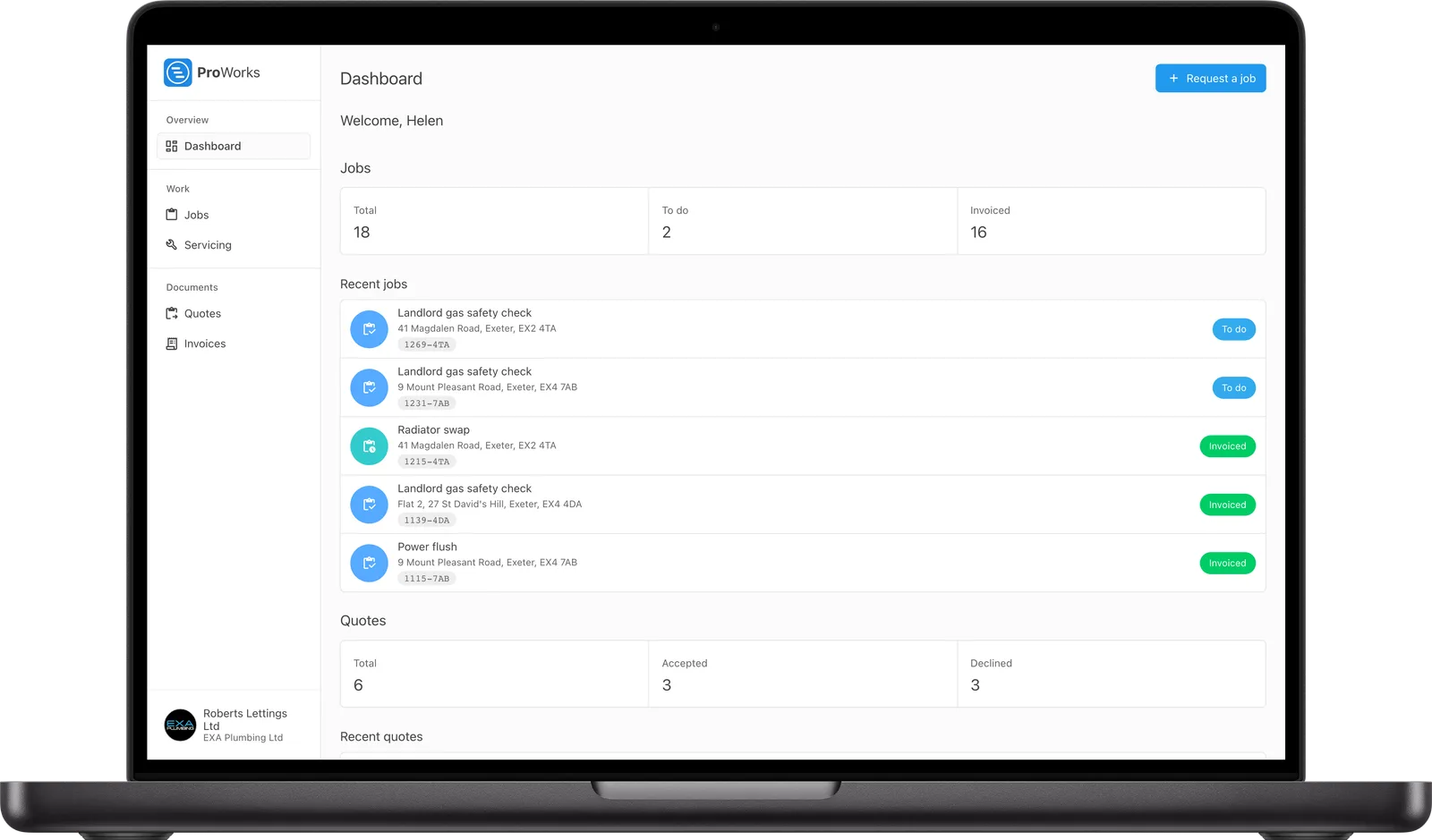
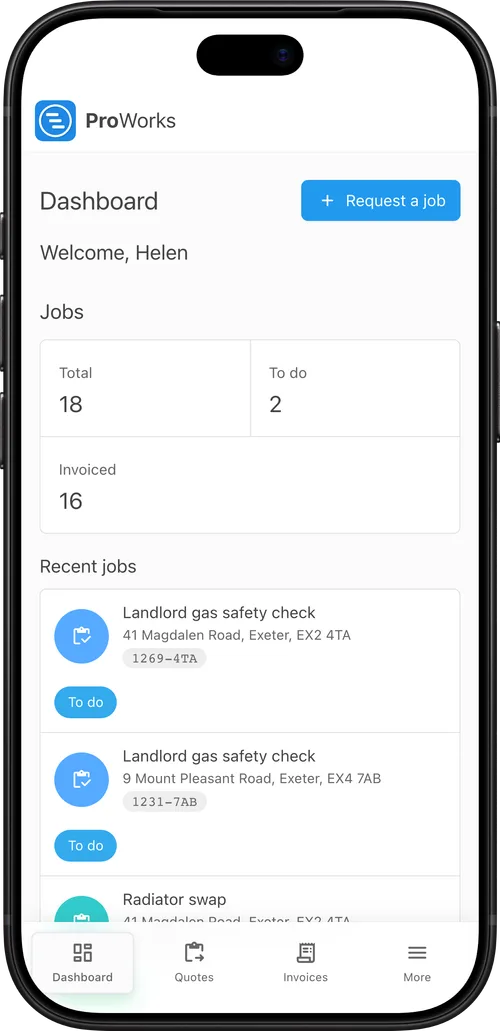
Every customer with an email address can log in to see their own work with you.
Turn the portal on in your company settings and choose whether customers see their quotes and invoices.
Send the customer a quote, invoice or service reminder from ProWorks. The email has a button that logs them straight in.
The customer reads the quote or invoice in their portal, and ProWorks records the date they first opened it.
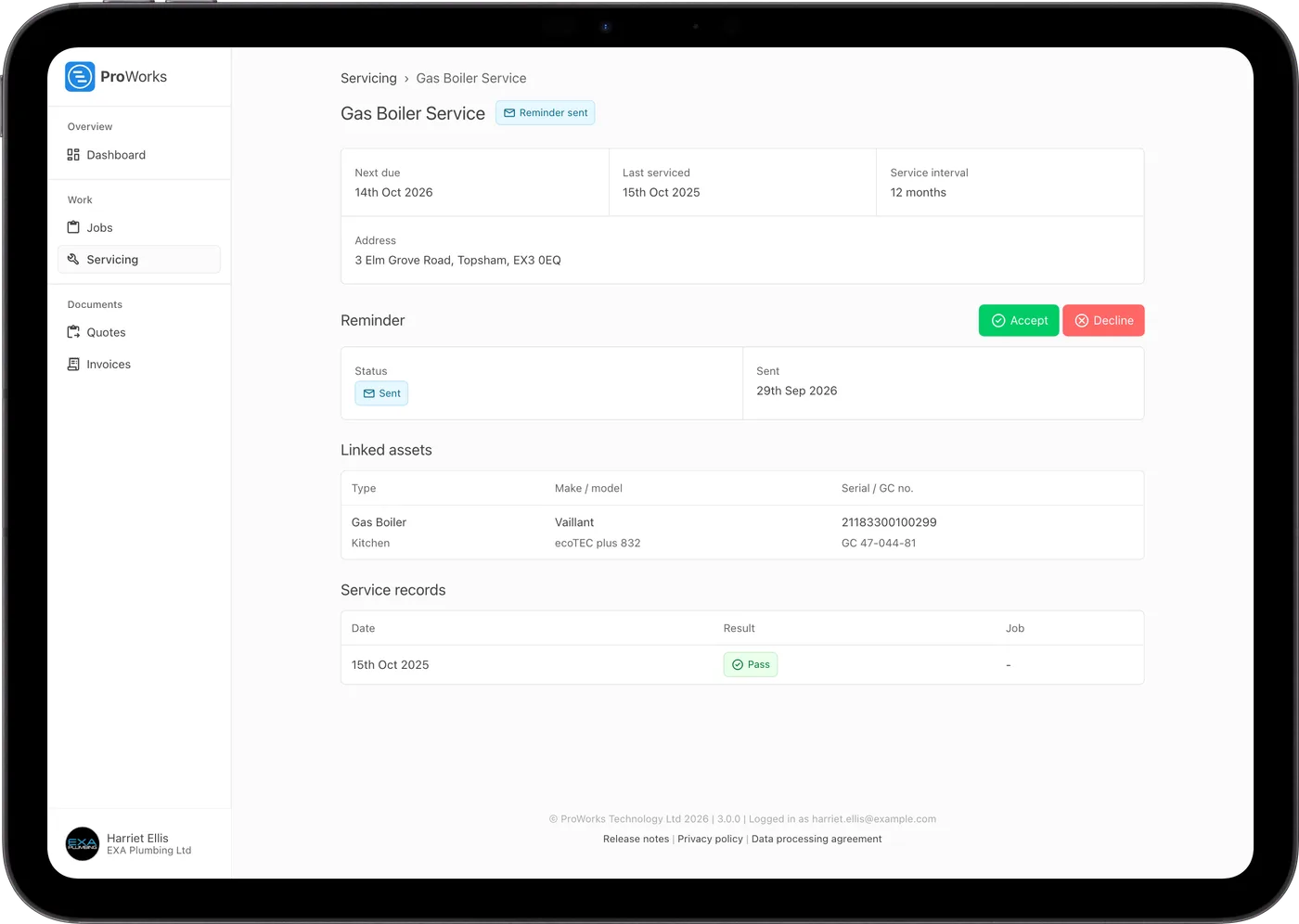
Customers accept or decline quotes and service reminders with one click, and you are emailed as soon as they do.
Next time they need you, Request a job sends the address and what they need straight to your Enquiries inbox.
Fewer phone calls asking where things are up to.
Customers read the quote, accept or decline it and download the PDF. You see when they opened it, and the quote's author is emailed when they answer.
Customers log in with their email and a code ProWorks sends them, or straight from your email.
Each job shows whether it is To do, In progress, Completed or Invoiced, so customers can see where things are up to.
Customers view and download their invoices, and you see when each one was opened.
Customers see their service schedules, assets and past results, and accept or decline reminders.
Customers pick the address and say what they need, and the request lands in your Enquiries inbox.

Definitely a programme we could not do without, covers all aspects of our day to day running of works for us and the team on the ground, exceptional support from the team at ProWorks too!
Andrew Payne
Operations Manager at UK Property Service SW LTD
The customer portal is in every account. Your customers are never counted as users.
No. Customers log in with their email address and a code ProWorks emails them. The quote, invoice and service reminder emails you send have a button that logs them straight in.
Their jobs and where each one is up to, their quotes and invoices, and their service schedules with the assets, next due date and past results. You choose whether quotes and invoices are shown.
They open the quote from your email, read it and click Accept or Decline. You are emailed as soon as they do, and the quote shows the date they first opened it.
Yes. Request a job lets them pick the address and say what they need. The request lands in your Enquiries inbox and you are emailed, ready to turn it into a job.
At proworks.app/companies/ followed by your business name, which shows your logo and a Customer login button. If you publish a ProWorks website, it has a Customer login link too.
No. The customer portal is included in every ProWorks account and customers are never charged as users. You pay per login for your own team: £25 a month for your Administrator, £15 to £20 for team members depending on their role, £10 for an accounting login and £5 plus 50p per day assigned for a subcontractor. The first 30 days are free with no card needed.
Pricing a job, sending the quote and raising the invoice from it.
Learn moreAssets, service schedules, reminders and service records.
Learn moreA website for your business, with enquiries landing in your inbox.
Learn more30 days free, with no card needed and no contract.